
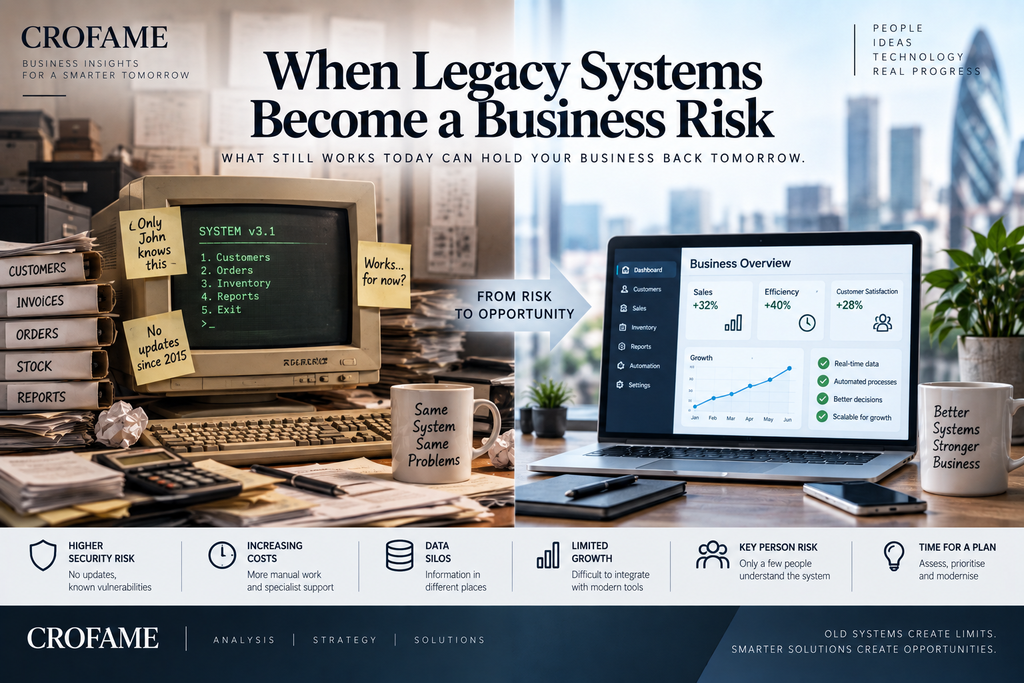
Older technology is not automatically bad technology. Many businesses continue using systems that were introduced years ago because they still perform the job they were designed to do. The problem begins when a system becomes difficult to maintain, no longer receives security updates, cannot connect with newer software or forces employees to create manual workarounds. At that point, keeping the system may become a bigger risk than replacing it.
UK government guidance defines legacy technology as systems, software or hardware that may be out of support, impossible to update, no longer cost-effective or above an acceptable level of risk. Recent government guidance also highlights additional warning signs such as known security vulnerabilities, limited specialist knowledge, downtime and an inability to meet current business needs. (GOV.UK)
The System Still Works — but Everything Around It Has Changed
A legacy system can appear reliable simply because employees have learned how to work around its limitations. A company may use software that cannot connect to its CRM, accounting platform or online customer portal, so staff export files, re-enter information and maintain additional spreadsheets. The original system continues running, but the business now pays for all the manual activity surrounding it.
Example: Customer information is stored in an old database that has no API connection to the new CRM. Two employees spend around 30 minutes a day exporting and updating records manually. At 250 working days a year, that represents roughly 250 hours of work simply transferring information between systems.
The risk is therefore not only that old software might eventually stop working. It is also that the system quietly creates unnecessary labour, slower processes and more opportunities for errors.
Security Becomes a Bigger Problem When Support Ends
A more serious issue appears when the software vendor stops providing updates or security patches. Modern cyber threats continue changing while the old system effectively remains frozen in time.
The UK Government’s Legacy IT Risk Assessment Framework identifies software that is out of support, known vulnerabilities and outdated hardware as indicators of legacy risk. Its 2026 Government Cyber Action Plan goes further, warning that some legacy infrastructure cannot be adequately protected using modern cyber-security measures. (GOV.UK)
This does not mean every old system will be attacked. It means the organisation has fewer options if a vulnerability is discovered. Maintaining unsupported software can therefore turn an operational convenience into a security decision.
One Person May Be the Only Person Who Understands It
Legacy systems often depend on knowledge accumulated over many years. The original vendor may no longer support the software, documentation may be incomplete and only one or two long-serving employees may know how important processes actually work.
That creates key-person risk.
Example: A company has used a customised stock-management system for 15 years. One employee knows how to fix errors, run month-end processes and recover failed transactions. If that person leaves, the software may continue operating, but the organisation has lost part of its ability to manage it.
Government guidance specifically identifies having too few people with the necessary knowledge and skills as a warning sign that a system may have become a legacy risk. (GOV.UK)
Legacy Systems Can Block Growth
A system that works for 500 customers may not necessarily work for 50,000. Older technology may have limits on transaction volumes, remote access, reporting or integration with e-commerce and mobile services.
The problem often becomes visible when the business tries to change. Management wants to introduce online ordering, automated reporting or a new customer portal but discovers that the existing system cannot easily connect with them. The organisation then faces a choice between expensive custom development and replacing the underlying platform.
This is one reason legacy systems can become a strategic problem rather than purely an IT problem. Government digital guidance notes that legacy technology can restrict transformation, reduce operational resilience and make it harder to meet current or future business requirements. (GOV.UK)
Cheap to Keep Can Become Expensive to Maintain
Replacing a system can be expensive, which is why organisations often delay migration. However, the relevant comparison is not simply replacement cost versus zero cost. The existing system already has a cost.
It may require specialist contractors, expensive bespoke support, manual data entry, duplicated systems, additional security controls and more employee time. As those costs accumulate, the apparently cheaper option may no longer be cheaper.
Example: A replacement platform costs £80,000, so management postpones the project. The legacy system, however, requires £18,000 of specialist support each year plus £12,000 of staff time spent on manual workarounds. Over three years, the organisation spends approximately £90,000 maintaining the existing arrangement without solving the underlying problem.
The numbers will differ for every organisation, but the principle is important: the cost of doing nothing should also be calculated.
Data Can Become Fragmented Across the Business
Older systems can also create data problems when information must be copied between applications. The same customer may appear in an old database, a spreadsheet and a modern CRM, with slightly different details in each location.
This makes reporting harder because nobody is certain which system represents the most accurate version. It can also increase the amount of sensitive information stored unnecessarily.
A 2026 Greater London Authority report discussing public-sector cyber security cited the British Library attack as an example in which complex legacy infrastructure and manual movement of data contributed to wider exposure and multiple copies of information across the network. (London City Hall)
For businesses, the lesson is straightforward: disconnected systems do not simply create inconvenience. They can affect data quality, security and decision-making.
Replacing Everything at Once Is Not Always the Answer
Recognising legacy risk does not mean immediately replacing every older system. A stable, supported system that still meets business requirements may remain perfectly suitable. Government guidance explicitly recognises several possible strategies, including retaining, retiring, replacing or modernising systems depending on risk and value. (GOV.UK)
The sensible approach is therefore to prioritise. Which system would cause the greatest disruption if it failed? Which contains the most sensitive data? Which depends on unsupported software? Which creates the most manual work? Which is preventing an important business change?
A low-risk system can often wait. A system that is both likely to fail and critical to operations needs much more urgent attention.
Legacy Technology Becomes a Business Risk When It Restricts the Business
The important question is not simply “How old is the system?” Some older technology remains reliable and appropriate for years. The more useful question is whether the technology still supports the organisation safely, efficiently and economically.
A legacy system becomes a genuine business problem when employees spend increasing amounts of time working around it, security support disappears, specialist knowledge becomes scarce, data is duplicated, integrations become difficult or the system prevents the organisation from growing and changing.
At that point, postponing modernisation is also a decision — and it has a cost.
Category: Digital Transformation
Sources
UK Government / Central Digital and Data Office — Guidance on the Legacy IT Risk Assessment Framework, updated August 2026. Identifies risk indicators including unsupported software, security vulnerabilities, limited skills, downtime and inability to meet business needs. (GOV.UK)
UK Government — Managing Legacy Technology. Defines legacy technology and outlines options including retain, retire and replace. (GOV.UK)
UK Government — Government Cyber Action Plan. Discusses technical debt, resilience and cyber-security risks associated with legacy technology. (GOV.UK)
UK Government — The Digital, Data and Technology Playbook. Highlights the effects of legacy IT on cyber security, operational resilience, transformation and value for money. (GOV.UK)
Greater London Authority Oversight Committee — Cyber Security at the GLA (2026), including discussion of legacy infrastructure and lessons from major cyber incidents. (London City Hall)